Desktop · click the models
Four generations, one question.
987/997, 981/991, 718 and 992. The fitment counts are generated from the catalogue by script, so the showroom never promises what the shop can't deliver.
Porsche accessories, designed and made to order in Wales. The shop opens in a showroom: pick your generation and the lamps come up on your car, while a live count tells you what fits it. Behind it are a fitment model, a dashboard, a scroll-told product story and a review loop that pays customers to come back.
Recorded from wdtdesign.co.uk1920 × 1080 · the showroom, clicked through
(01) — Overview
Most accessory shops make you do the work: scroll through everything, then check the small print to see what fits. WDT Design asks one question first. The showroom is a full-screen model picker you can swipe, drag or use from the keyboard. Each arrival switches on projector lamps and a floor glow under the car, and the model number and live fitment count update as you go.
It was bootstrapped from the WDT Werks engine and shares its engineering, but nothing else: a separate Stripe account, storage, Vercel project and secrets. The range came over from the old WooCommerce shop by script, reviews and redirects included.
(02) — The showroom
A native dialog with swipe, drag and keyboard controls. The session remembers your car. Per-model tyre shadows and a textured studio floor share the car's coordinates, and one shared model number stays readable through every transition.
987/997, 981/991, 718 and 992. The fitment counts are generated from the catalogue by script, so the showroom never promises what the shop can't deliver.
(03) — A product story, scrubbed by your scroll
A Spyder with its roof off and a promise. The owner's own grey car, wheel caps and buttress hardware are composed into one fixed base with soft studio light.
The cap starts at the front mirror, unfolds toward the rear and settles. Only the masked fabric pixels change, so the car never shimmers.
"Hooks over the mirrors." "Light showers? Covered." Arrows draw to their targets, with separate layouts for phones, tablets and desktops.
30–40 seconds to fit, under 300 g, every Spyder. Then the underlined product link, and nothing else.
(04) — On a phone
On phones and tablets the first quarter of the scroll pans closer to the roof before the cap unfolds. Every photographic layer and arrow target follows one camera, while the handwriting stays readable.
Filter by car and by category (decals, interior, phone mounts, wheels, exterior, lifestyle) at the same time. Each card pairs a studio shot with an in-car inset.
Options beside the price, in-car photography and a clear fit statement, then a "Looking after it" chapter that recommends the right WDT Werks bottles, with tagged referral links.
(05) — Behind the counter
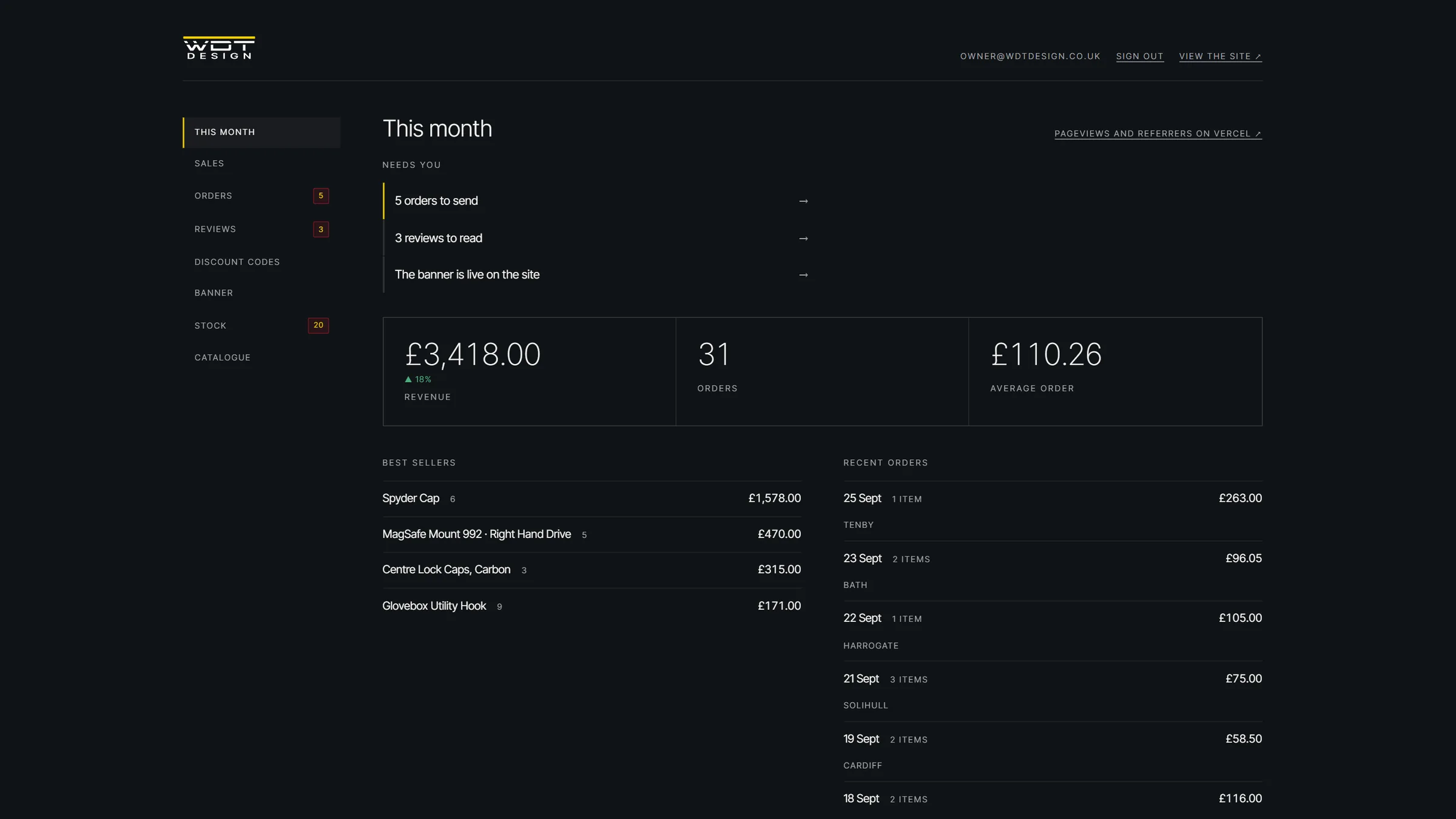
The real dashboard code with sample data. Saving a product writes the catalogue to storage and rebuilds everything that depends on it: product pages, the shared header and footer, the homepage shelf, the sitemap and the merchant feed.
Revenue against last month, orders and average order, best sellers, recent orders by town, and the jobs that need attention.
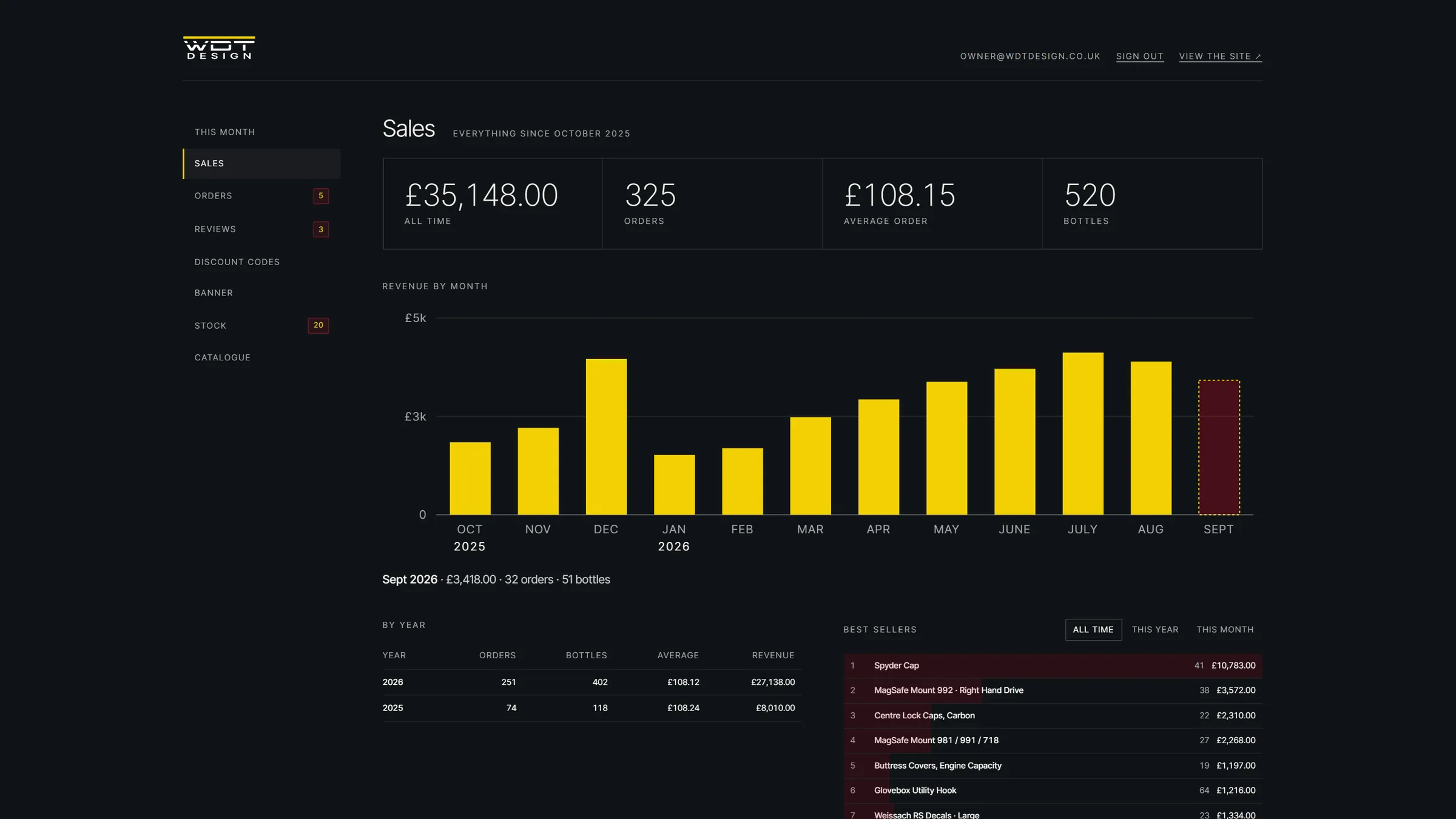
All-time figures and a hand-built SVG chart of revenue by month. Hover any month for its totals, then read the year table and best sellers.
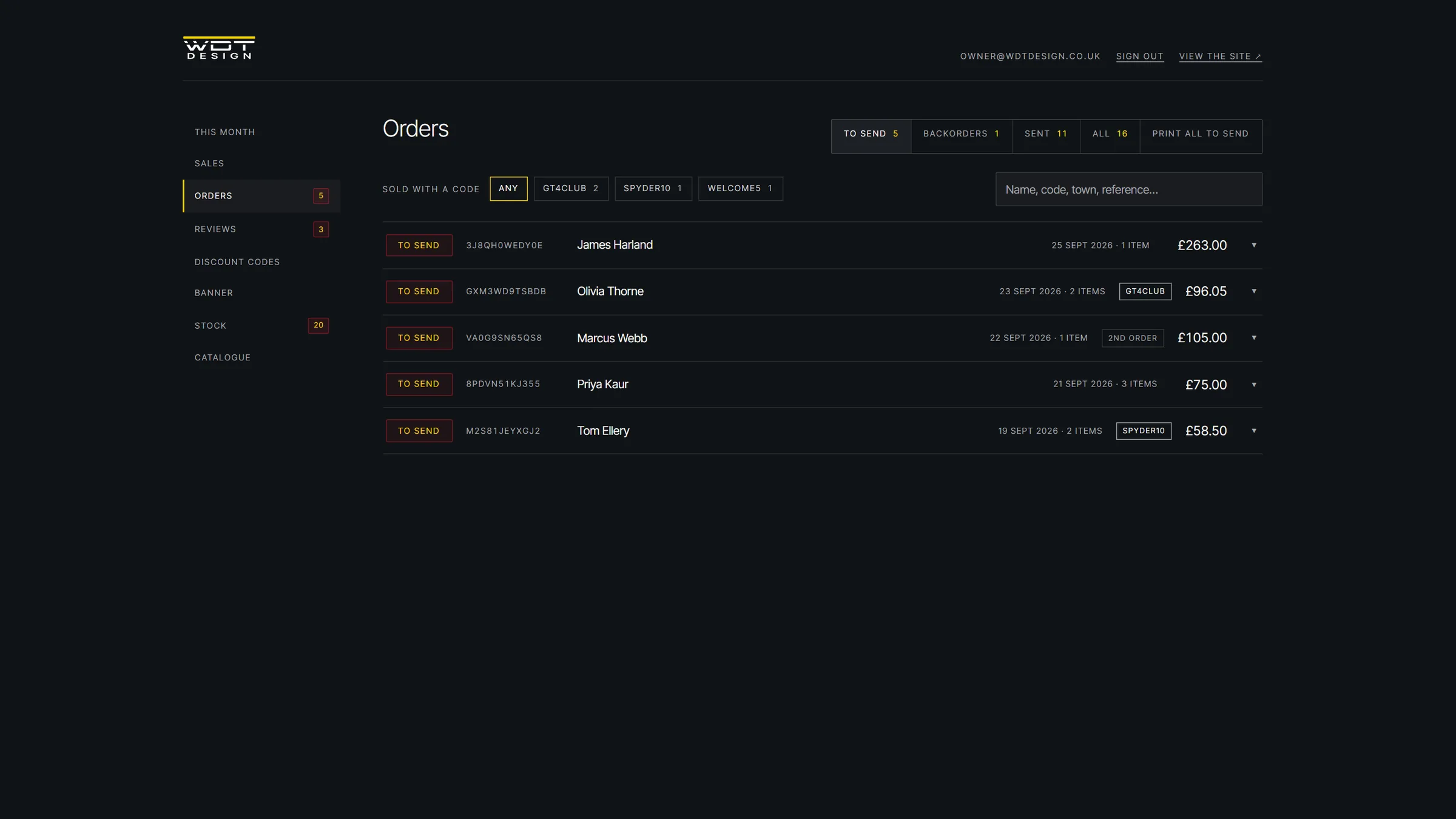
Filter to send, backorders and sent, pick by discount code, search, and print pick sheets for the workshop bench.
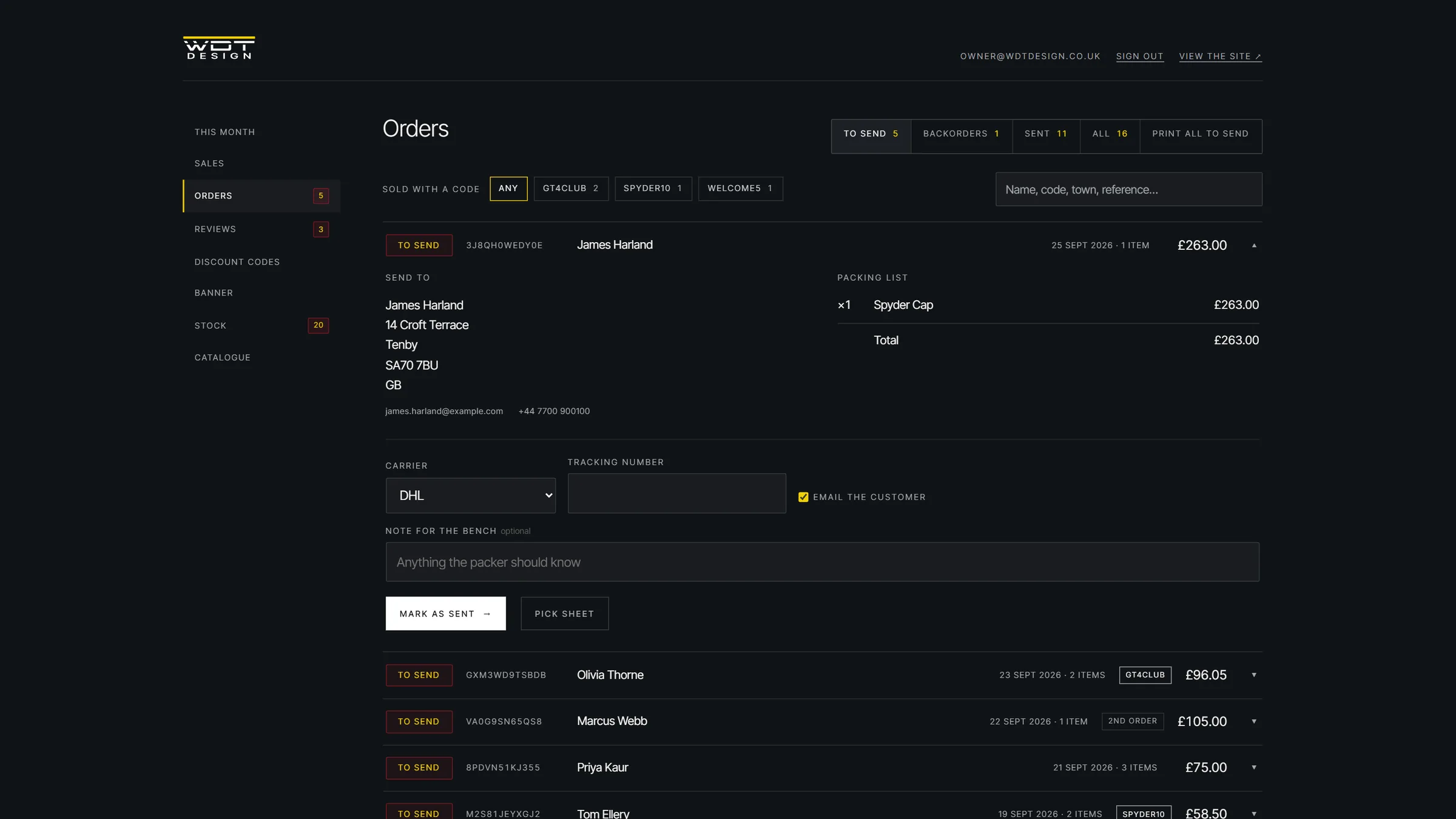
Carrier, tracking and a note for the bench. Sending it emails the customer and schedules their review request; un-sending cancels it.
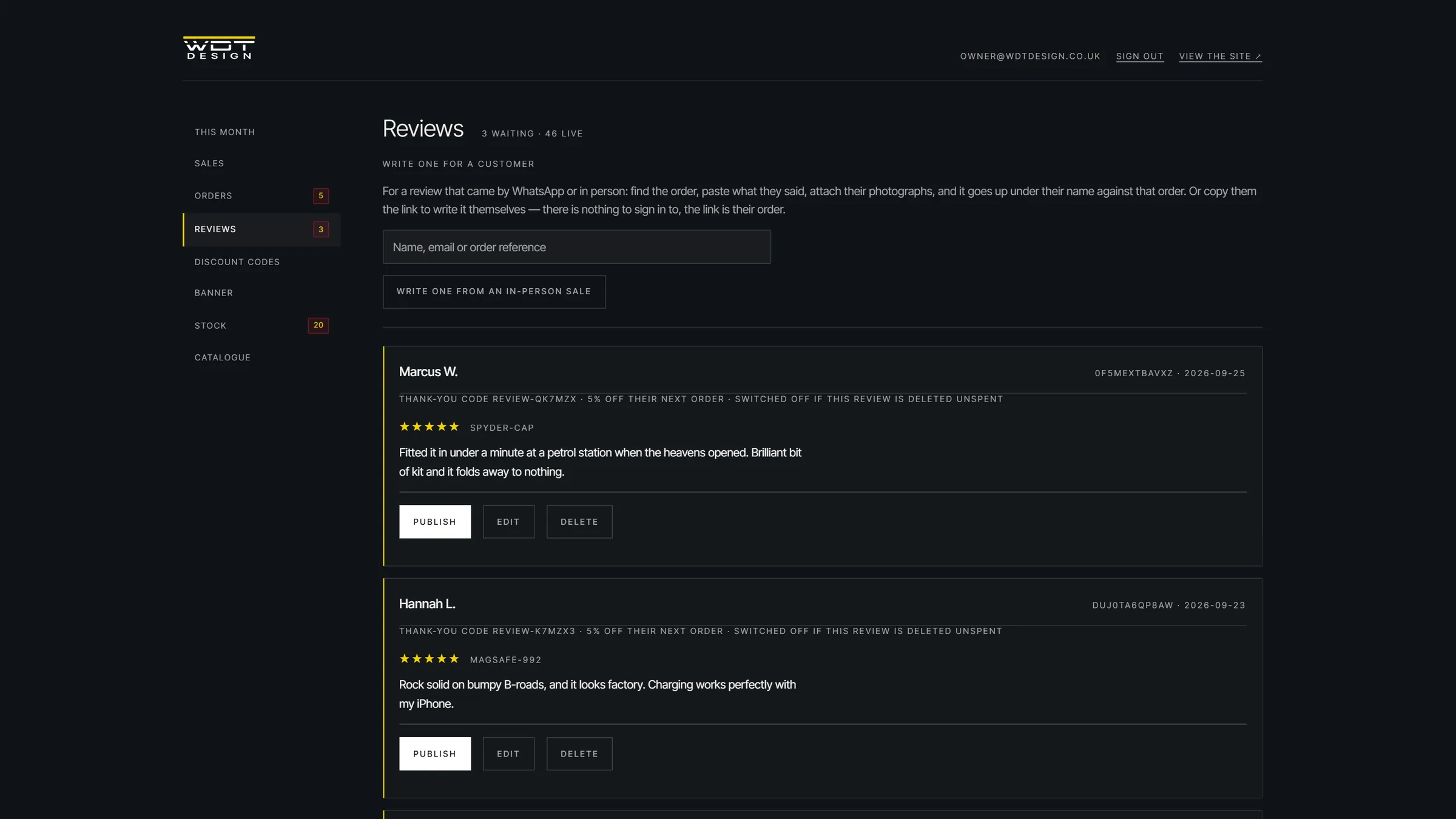
Each pending review shows the thank-you code it earned. Publishing puts it on the site; deleting a review switches its code off if it hasn't been used.
Percentage or fixed, minimum spend, usage limits and expiry, all created in Stripe from here.
Message, code, link and tone, with live desktop and phone previews built from the same markup the site uses.
Every product × variant with counted, in stock, warning and backorder, plus the lead time quoted to customers and the review reward rates.
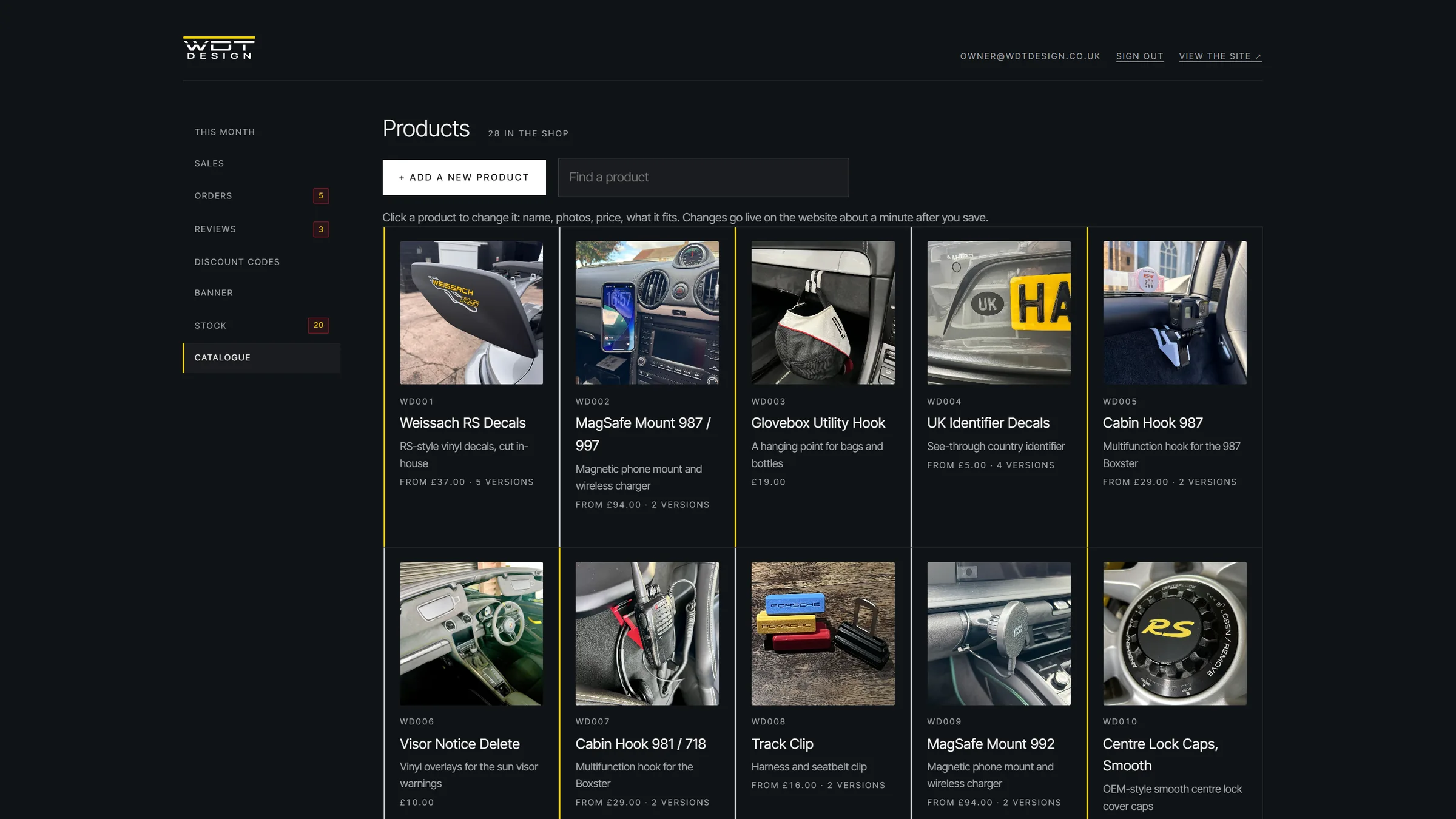
The whole range as cards, flagged when something is missing: no price, no photo, or an unsaved draft.
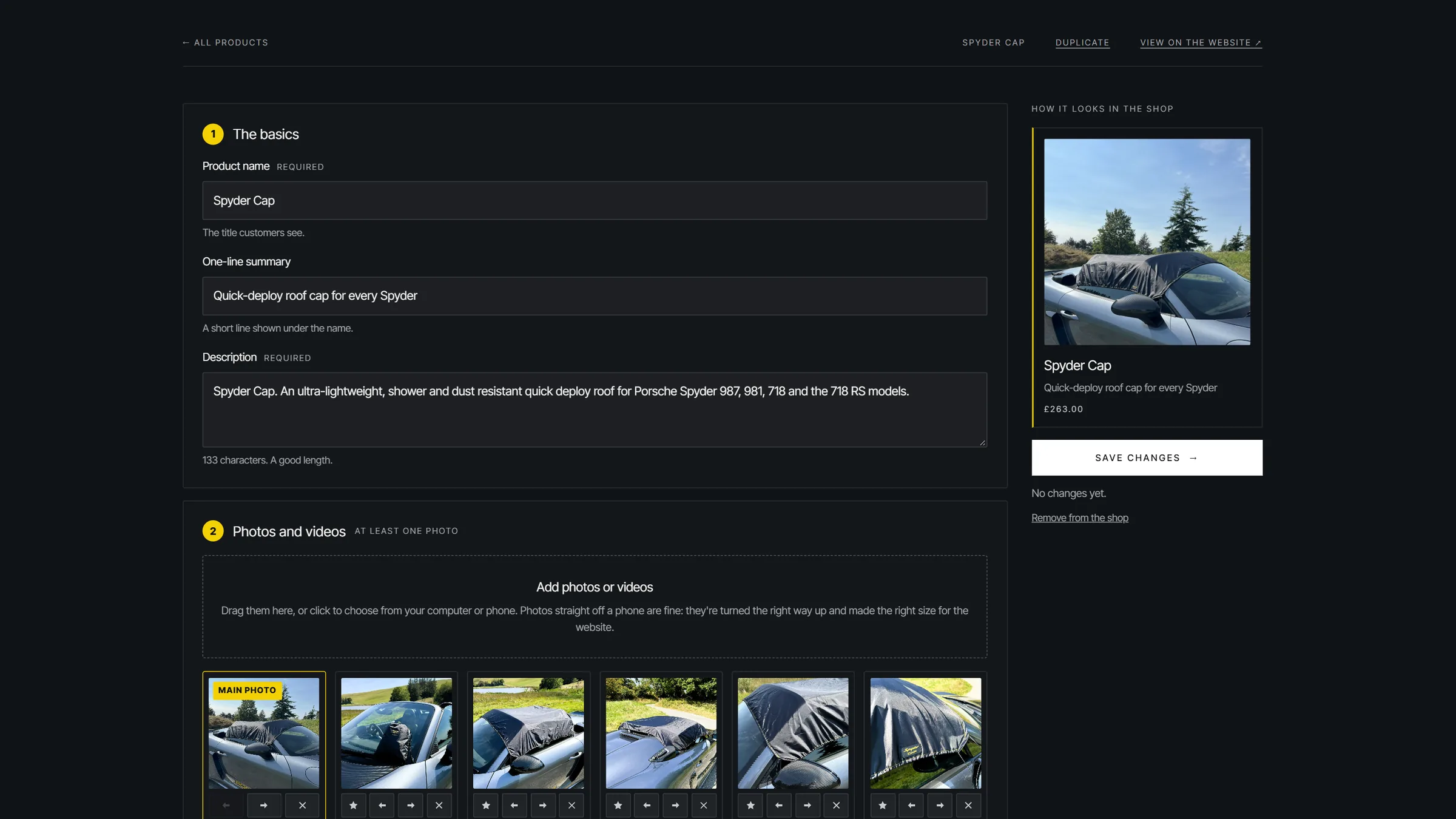
Name, copy, photos and videos, variants and options, fitment and specs, with a live preview of the shop card. Drafts survive a closed tab.
Real dashboard code · sample data · no customer information shown
(06) — The review loop
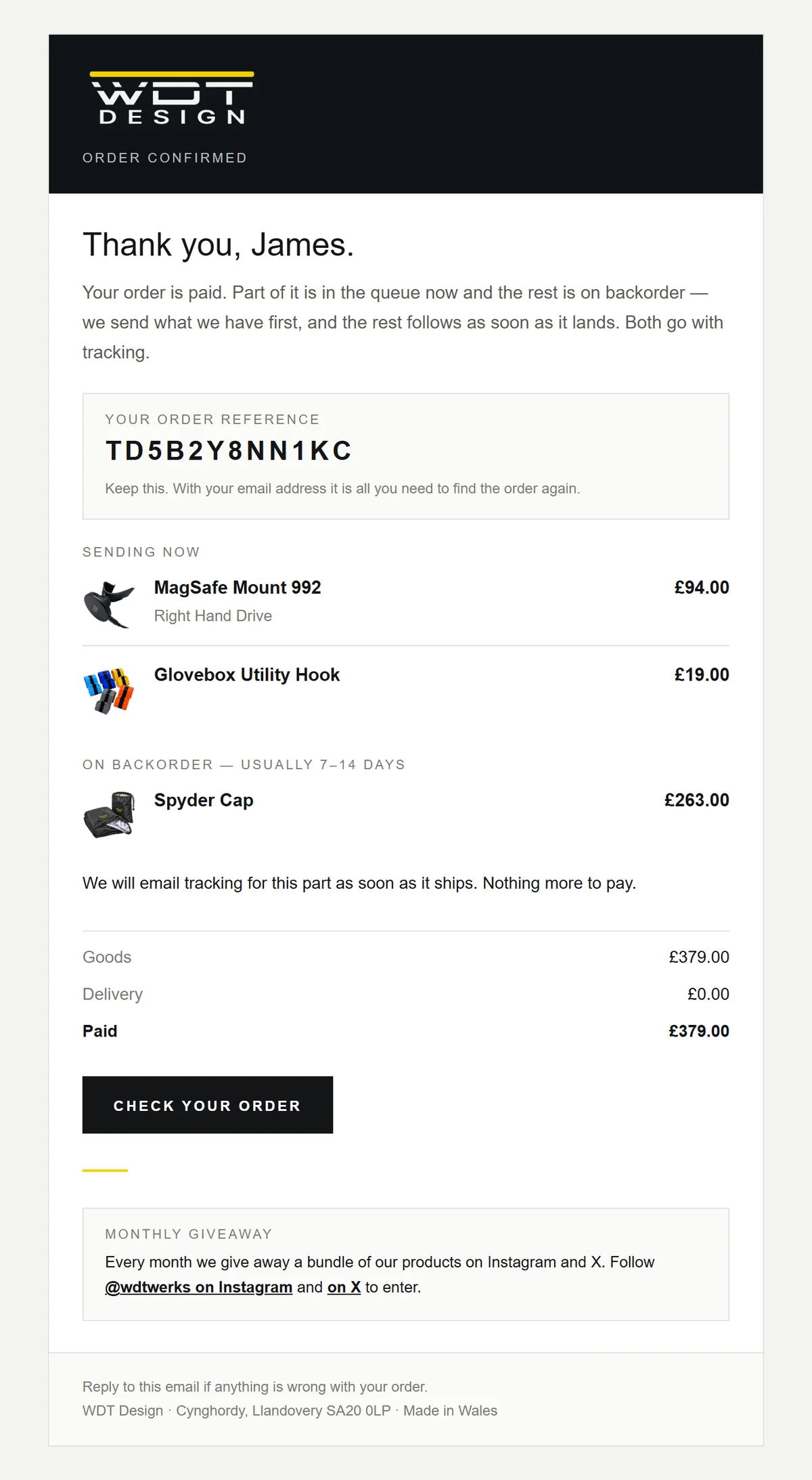
Every order ends with an invitation to review it, and every review earns a single-use discount on the next order: 5% per product reviewed, up to 25%. The shop gets social proof and a returning customer; the customer gets money off. None of it needs the owner.
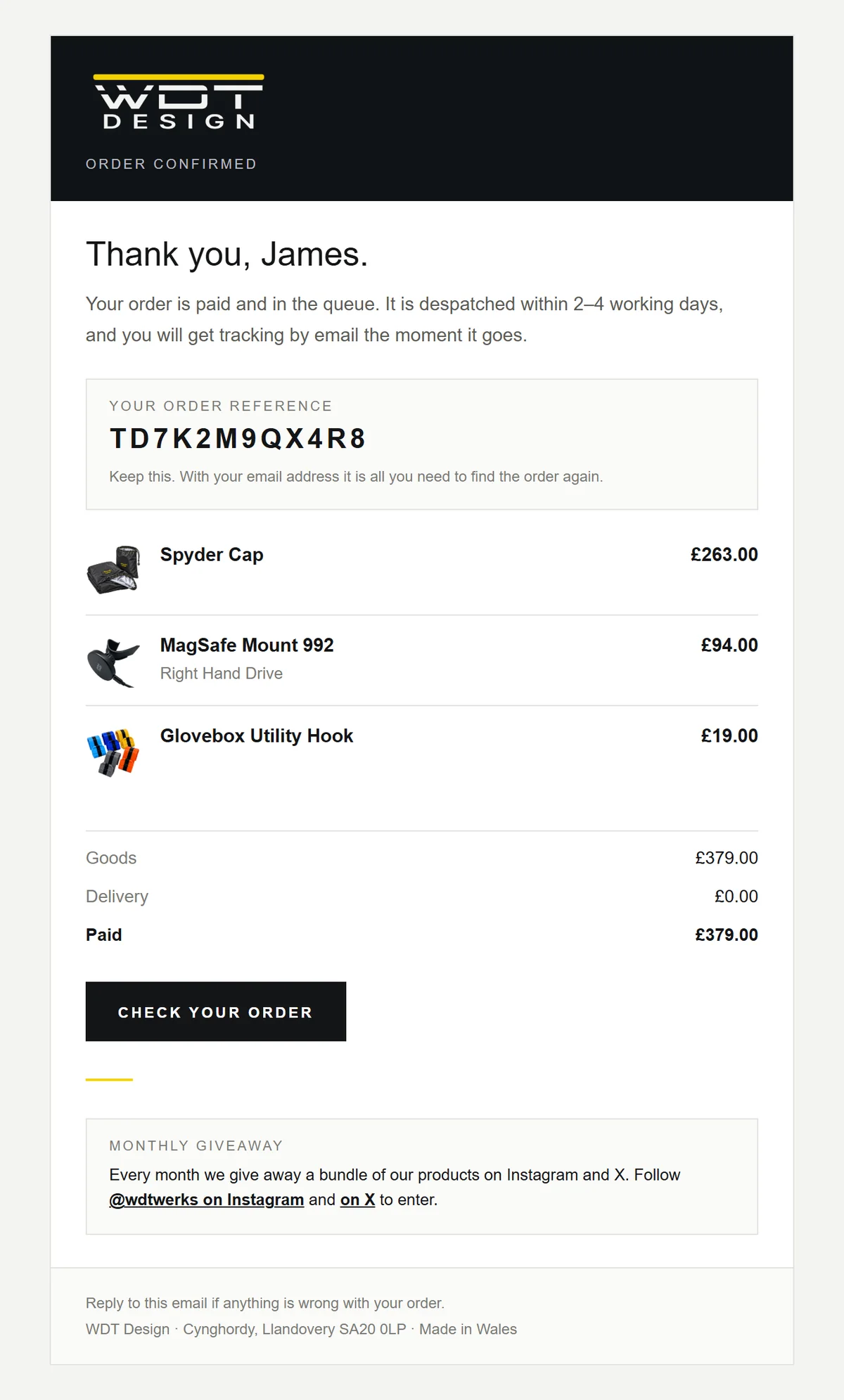
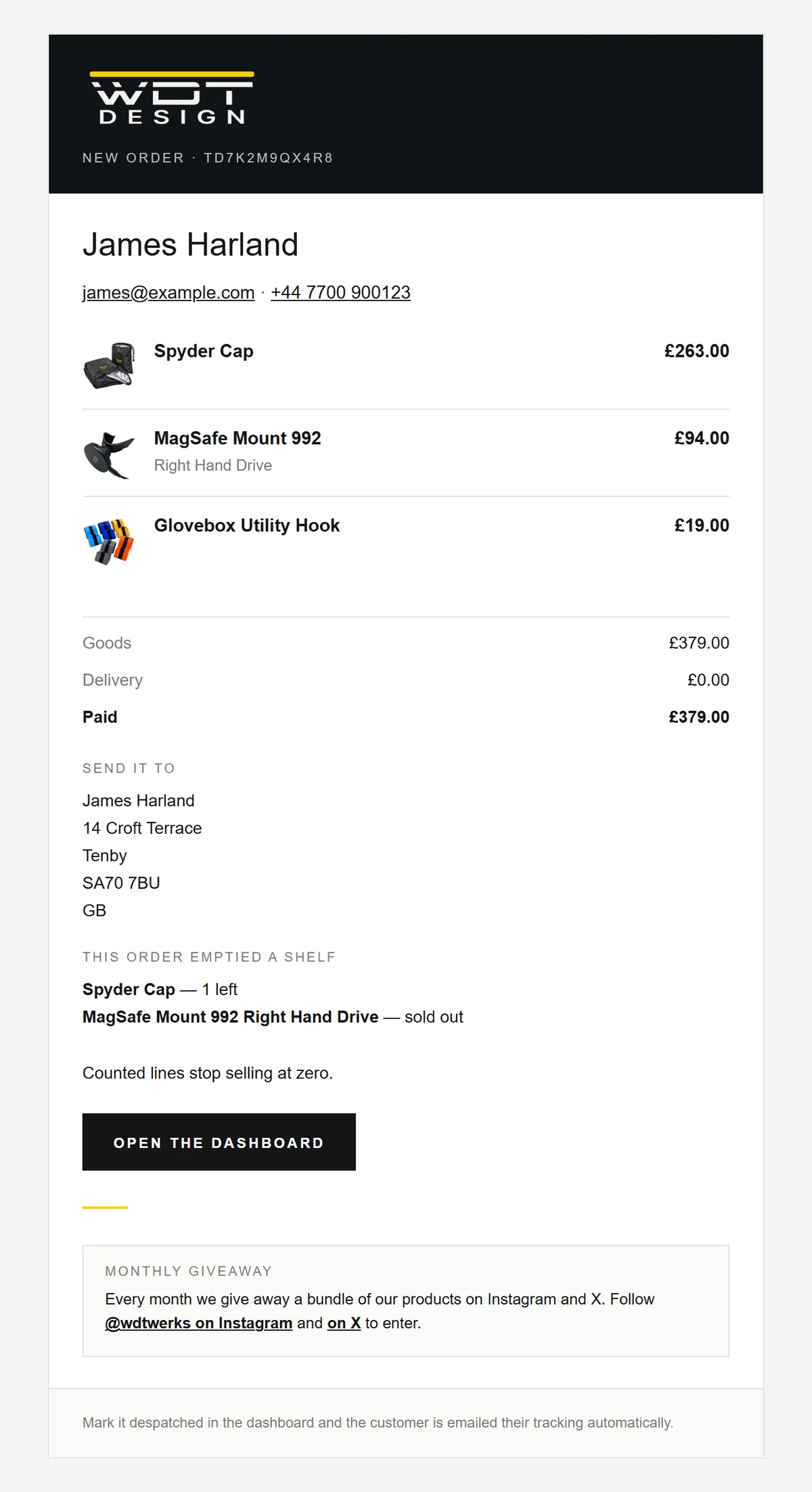
A confirmation with the order reference, and a packing email to the workshop flagging low stock.
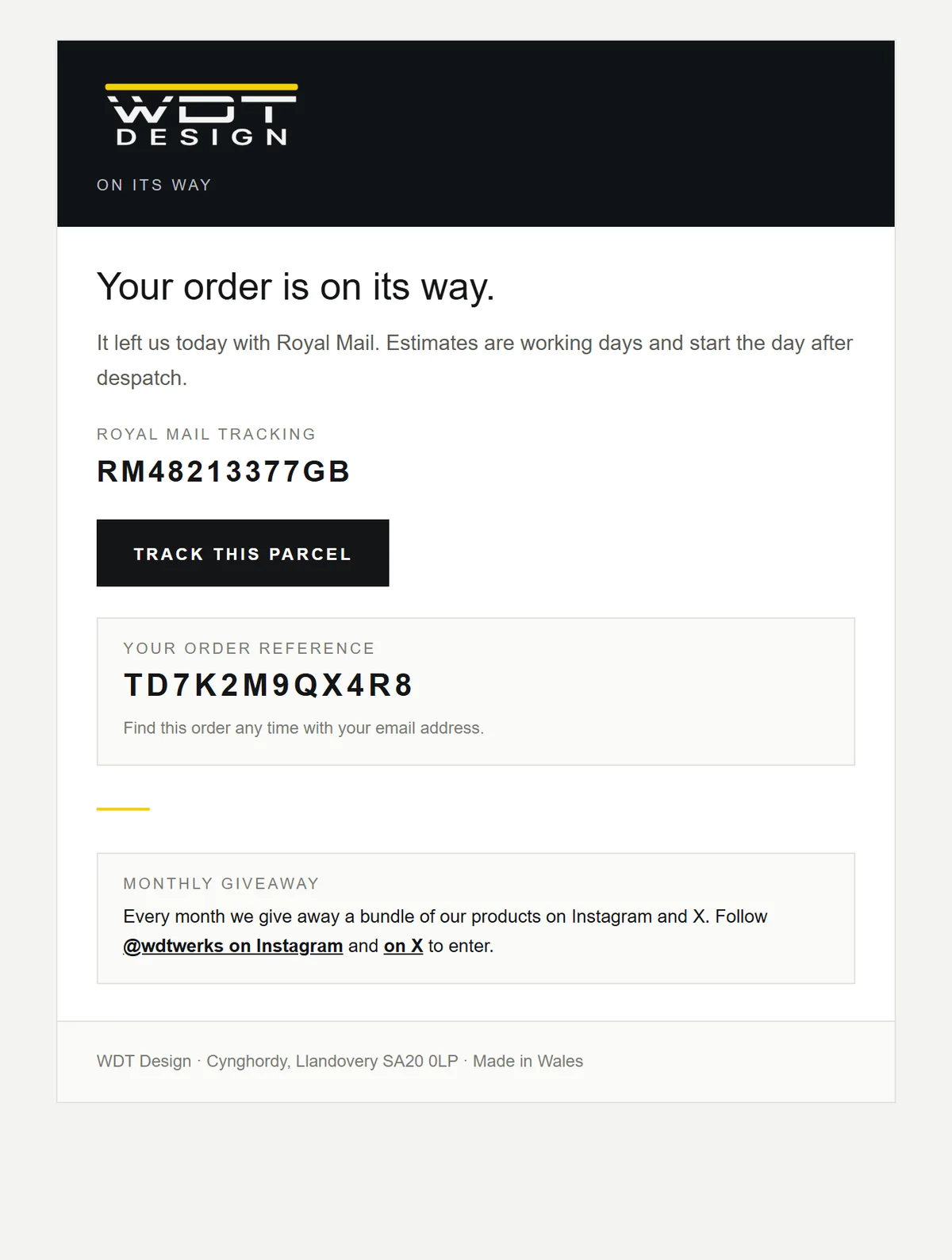
Tracking goes out, and the review request is handed to Resend, scheduled a week ahead.
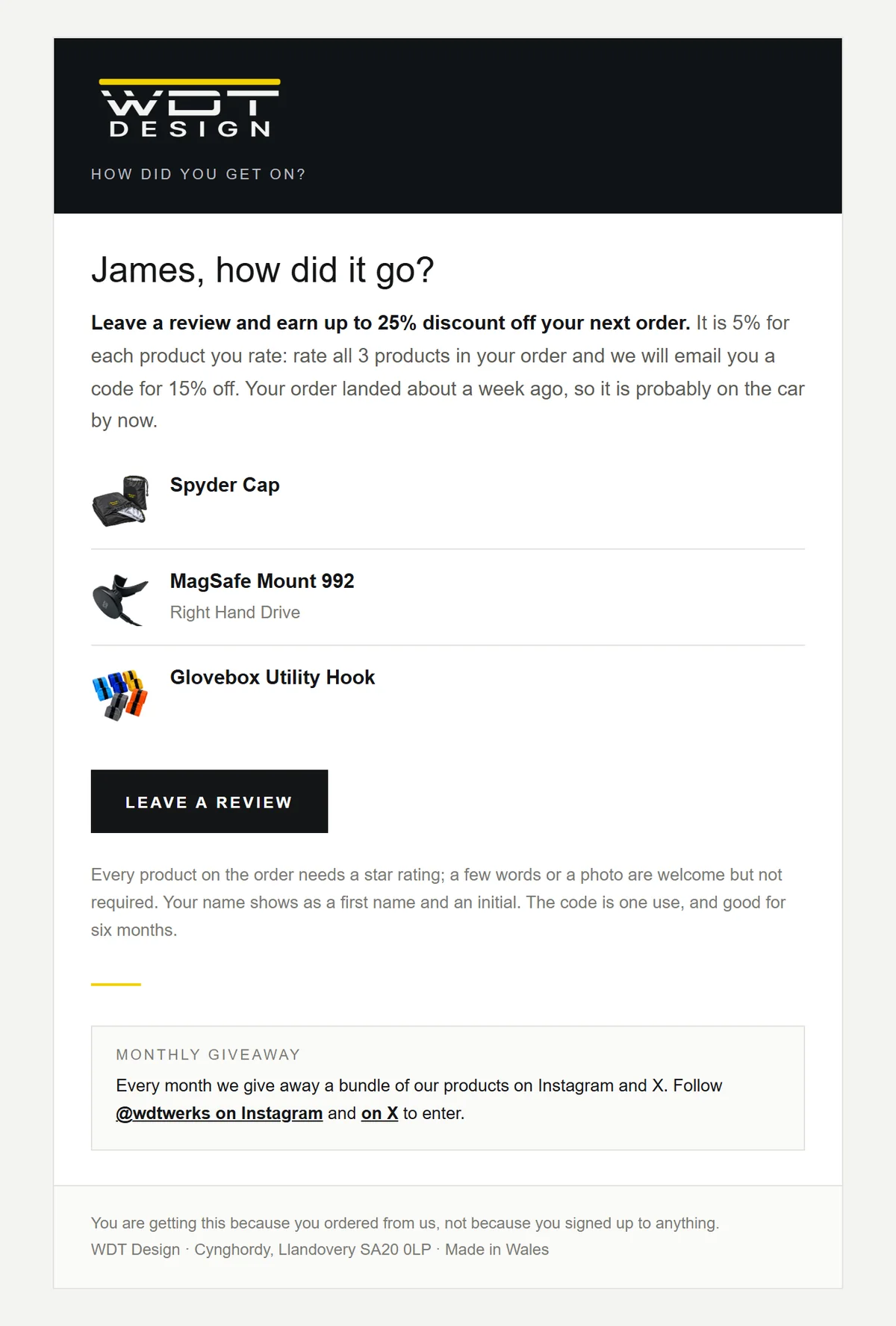
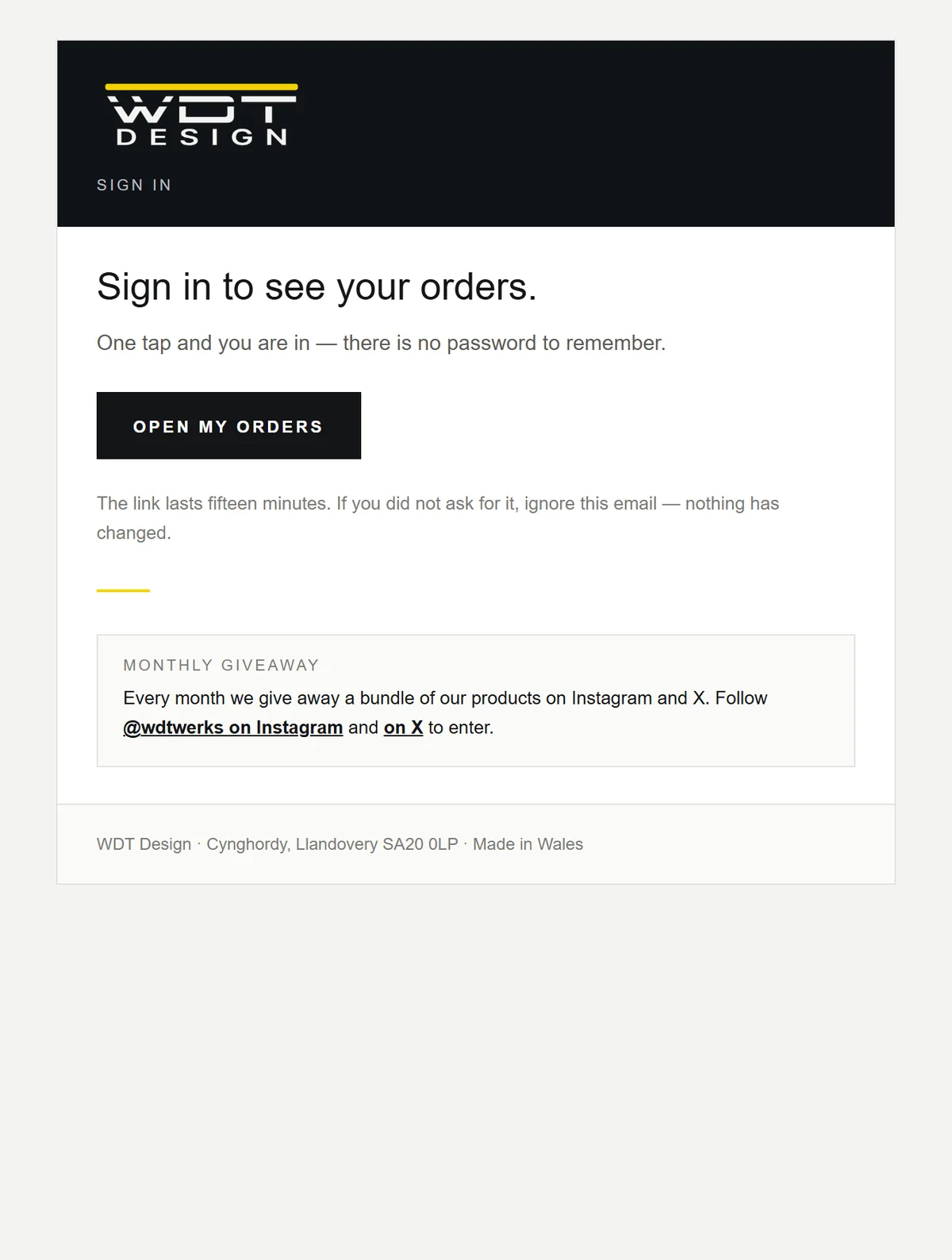
A signed link, valid for 60 days, opens every product in the order with stars, words and a photo.
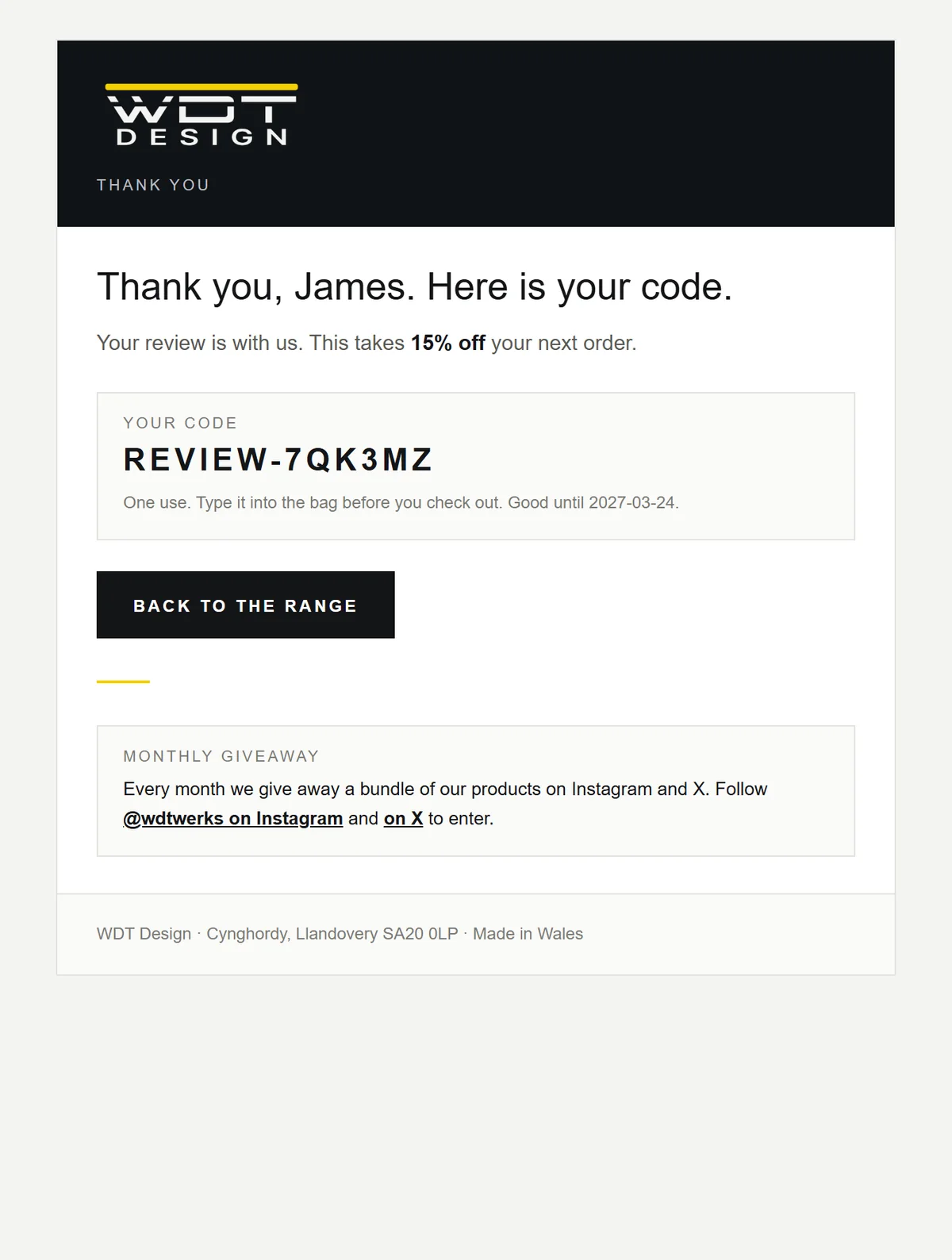
A single-use Stripe promotion code, valid for 180 days, arrives instantly and is shown on the page too.
Approved reviews go live. A rejected review switches its code off, provided it hasn't been used yet.
(07) — How it's put together
"Does it fit my car?" is the question that loses sales, so it's answered once, in data, and every surface reads the answer. Hover or tap a node.
Swipe the diagram sideways to see all of it →
(08) — Under the bonnet
catalogue.js is generated and carries data only. Everything that reasons about it lives in products.js, written by a person.
The name, domain, address and fitment taxonomy all come from brand.js, so anything that names the shop reads it from one place.
Each order earns one code at most, keyed by an HMAC of its reference, and rejecting a review revokes an unused code.
Every deploy is manual: staging builds get their own URL, and the domain is aliased by hand to each new production deployment.
Every product page recommends the WDT Werks bottles that look after it, with tagged links so Werks can see the referrals.
Old shop URLs redirect through vercel.json rules and an exported CSV for the old site's redirect plugin.
Reduced motion and short landscape screens get the fitted still without pinning. There are no playback controls to fight.
A web app manifest and full icon set let owners pin the shop to their phone's home screen.
(09) — Try it
Load the live shop inside this page. Swipe the showroom, pick a generation and see what fits.
Opal Dental